
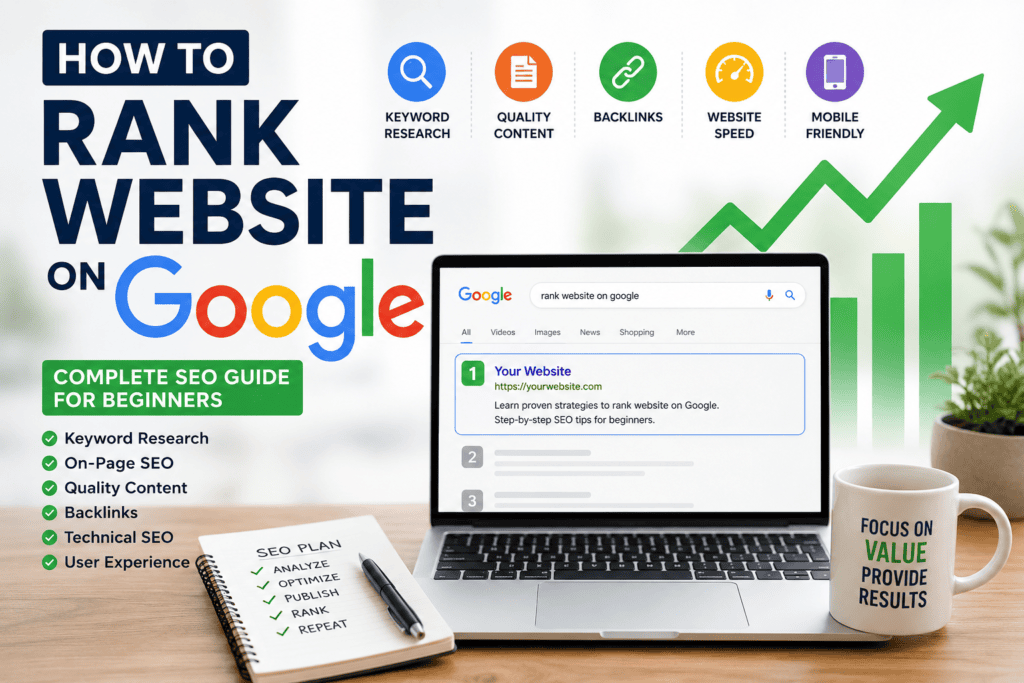
Introduction
A few years ago, one of my friends launched his first business website. He was excited because he believed that once the website went live, customers would automatically start finding it on Google.
Days passed.
Then weeks.
When he searched for his business, his website was nowhere to be found. He started wondering if something was wrong with Google.
The truth was much simpler.
Google wasn’t ignoring his website—it just didn’t have enough reasons to rank it.
This is a common experience for many beginners. People spend weeks building a beautiful website but forget that Google doesn’t rank websites based on how attractive they look. It ranks websites that provide useful information, deliver a great user experience, and demonstrate trust and expertise.
If you’ve ever asked yourself “How to Rank a Website on Google?”, you’re in the right place.
This guide is written specifically for beginners and website owners. Instead of overwhelming you with technical jargon, I’ll explain SEO in a practical way with real-world examples so you can understand not only what to do, but why it matters.
What Does “Ranking on Google” Actually Mean?
When someone searches for something on Google, they usually click one of the first few results they see.
For example, imagine someone searches:
“Best bakery near me.”
Google instantly displays several websites and business profiles.
Have you ever wondered how Google decides which website appears first?
The answer is simple:
Google wants to show the page that gives users the best possible answer.
Ranking on Google means your website appears higher than other websites for a specific search term. The higher your position, the more people are likely to visit your website.
But getting there doesn’t happen by chance.
Google evaluates hundreds of factors before deciding where your website should appear.
Table of Contents
How Google Finds and Ranks Websites on google
Many beginners think Google automatically knows every website on the internet.
It doesn’t.
Google follows a simple three-step process.
1. Crawling
Google uses automated bots, often called crawlers or spiders, to discover new pages across the web.
These bots move from one page to another by following links.
If your website is well-structured and easy to navigate, Google can discover your pages much more efficiently.
2. Indexing
After Google finds a page, it analyzes the content to understand what the page is about.
If the content is valuable, original, and follows Google’s quality guidelines, it gets stored in Google’s index.
Think of the index as a giant digital library containing billions of web pages.
If your page isn’t indexed, it can’t appear in search results.
3. Ranking
Once your page is indexed, Google compares it with thousands of other pages targeting the same topic.
It looks at factors like:
- Content quality
- User experience
- Website speed
- Mobile friendliness
- Helpful information
- Trustworthiness
- Backlinks
- Search intent
The pages that provide the best overall experience usually earn higher rankings.
Why Some Websites Rank While Others Don’t
Let’s imagine two websites.
Website A
The owner copies information from different blogs, stuffs keywords into every paragraph, and publishes the article without checking if it actually helps readers.
Website B
The owner researches the topic carefully, writes original content, answers common questions, adds useful examples, and updates the article regularly.
Which website do you think Google would trust more?
The answer is obvious.
Google wants users to leave search results feeling satisfied. If visitors quickly find the information they need, they’re more likely to trust Google and continue using it.
That’s why helpful content almost always performs better than content created only to impress search engines.
The Biggest SEO Mistake Beginners Make
One mistake I see repeatedly is that people focus on algorithms instead of people.
They ask questions like:
- How many times should I use my keyword?
- What’s the perfect article length?
- How many backlinks do I need?
These questions are important, but they’re not where SEO begins.
The first question should always be:
“What problem is my visitor trying to solve?”
When you understand your audience’s needs, creating content becomes much easier.
Google’s algorithms have become increasingly effective at identifying pages that genuinely help users.
Understanding Search Intent
Search intent simply means the reason behind a user’s search.
Suppose someone searches:
How to Rank a Website on Google
What are they actually looking for?
Most likely, they want:
- Easy-to-follow steps
- Beginner-friendly explanations
- Practical SEO tips
- Common mistakes to avoid
- Real examples
- A clear action plan
If your article only explains what SEO is without teaching readers how to improve their rankings, it won’t fully satisfy their search intent.
The more completely your content answers the user’s question, the better your chances of ranking.
Start with One Primary Keyword
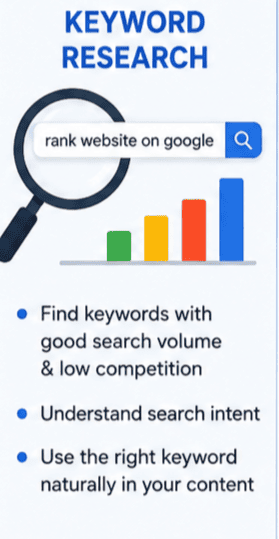
Every successful SEO page focuses on one main topic.
For this guide, the primary keyword is:
How to Rank a Website on Google
Instead of trying to rank one article for dozens of unrelated topics, build your content around a single subject and cover it thoroughly.
Later, you can create supporting articles such as:
- Keyword Research for Beginners
- What Is On-Page SEO?
- Technical SEO Checklist
- How to Build Quality Backlinks
- Beginner’s Guide to Google Search Console
Connecting these articles with internal links helps Google understand that your website has expertise in SEO.
Helpful Content Always Wins
A common myth is that longer articles automatically rank higher.
That’s not true.
Imagine reading two articles.
The first is 5,000 words long but repeats the same ideas again and again.
The second is only 2,500 words but includes practical advice, clear explanations, examples, and actionable tips.
Most readers would choose the second article because it saves time and solves their problem.
Google thinks the same way.
Instead of asking,
“How many words should I write?”
Ask yourself,
“Will someone finish this article feeling like they learned something useful?”
That’s the mindset that leads to better content and better rankings.
Key Takeaways
If there’s one lesson to remember from this first part, it’s this:
Google doesn’t rank websites simply because they exist. It ranks websites that provide genuine value to users.
Before worrying about advanced SEO techniques, focus on creating content that answers real questions, solves real problems, and offers a better experience than competing pages.
Once you understand this foundation, every other SEO strategy becomes much easier to apply.
In the next part, we’ll explore the practical steps you can take to optimize your website and improve your chances of ranking higher on Google.
Part 2: Build a Strong SEO Foundation Before Chasing Rankings
By now, you know that Google doesn’t rank websites randomly. It rewards websites that genuinely help users.
The next question is obvious:
How do you build a website that Google wants to rank?
The answer isn’t a secret trick or a single SEO hack. It’s about getting the fundamentals right. Think of your website like a house. Before you decorate it, you need a solid foundation. In SEO, that foundation includes keyword research, content structure, user experience, and technical optimization.
Let’s go through each step.

Step 1: Find the Right Keywords
Keywords are the words and phrases people type into Google when looking for information.
For example, if someone wants to improve their website’s visibility, they might search:
- How to Rank a Website on Google
- SEO tips for beginners
- Why my website is not ranking
- Google ranking factors
These searches tell you exactly what people want to learn.
But here’s an important lesson:
Don’t choose keywords just because they have high search volume.
Instead, choose keywords that match your audience’s needs.
For a new website, targeting broad keywords like SEO or Digital Marketing is extremely difficult because large, established websites already dominate those results.
A smarter strategy is to target more specific keywords, often called long-tail keywords.
For example:
Instead of:
SEO
Use:
How to Rank a Website on Google for Beginners
Long-tail keywords usually have lower competition and attract visitors who are looking for a specific solution.
Step 2: Understand Search Intent
Imagine two people searching on Google.
The first searches:
Buy running shoes online
The second searches:
How to clean running shoes
Both searches include the words “running shoes,” but they have completely different intentions.
One person wants to buy.
The other wants information.
Google understands this difference.
That’s why your content should always match the user’s intent.
When someone searches How to Rank a Website on Google, they’re not looking for a sales pitch. They want practical advice, step-by-step guidance, and examples they can apply.
If your content satisfies that intent better than competing pages, your chances of ranking improve.
Step 3: Write Content That Solves Problems
Many website owners create content just to publish something new.
That’s the wrong approach.
Every article should answer a real question or solve a specific problem.
Before writing, ask yourself:
- What challenge does my reader have?
- What questions might they ask next?
- Can I explain this topic more clearly than other websites?
If the answer is yes, you’re already creating valuable content.
Instead of writing to impress Google, write to help people.
Ironically, that’s exactly what Google wants.
Step 4: Structure Your Content Clearly
Have you ever opened an article that looked like one giant block of text?
Most people leave within seconds.
Readers prefer content that’s easy to scan.
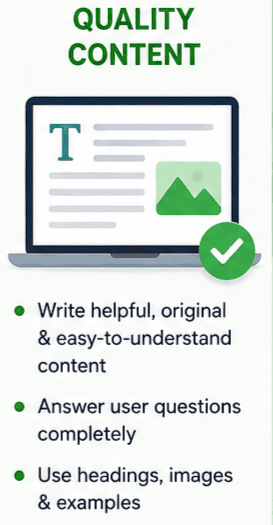
A well-structured article should include:
- A clear title
- Short paragraphs
- Descriptive headings
- Bullet points where appropriate
- Examples and practical tips
Good structure isn’t just helpful for readers—it also helps Google understand your content.
Think of headings as signposts that guide both your visitors and search engines through your article.
Step 5: Use Your Primary Keyword Naturally
One of the biggest SEO myths is that repeating a keyword dozens of times improves rankings.
It doesn’t.
In fact, excessive repetition can make your content sound unnatural and may even hurt the user experience.
Instead, place your primary keyword where it makes sense.
For example, include How to Rank a Website on Google naturally in:
- The title
- The introduction
- One or two headings
- A few paragraphs throughout the article
- The conclusion
Beyond that, use related phrases such as:
- Improve Google rankings
- Rank higher on Google
- Website SEO
- Organic traffic
- Search engine optimization
This creates a more natural reading experience while helping Google understand the overall topic.Step 6: Make Your Website Easy to Navigate
Imagine walking into a supermarket where nothing is labeled.
Finding what you need would be frustrating.
A confusing website creates the same experience.
Visitors should be able to reach any important page within a few clicks.
Simple navigation helps users find information faster and helps Google discover your pages more efficiently.
Some best practices include:
- Clear menus
- Logical categories
- Internal links between related articles
- A search feature for larger websites
The easier your website is to explore, the better the experience for everyone.
Step 7: Create Useful Internal Links
Internal links connect one page of your website to another.
For example, if you’re writing about How to Rank a Website on Google, you can naturally link to articles about:
- Keyword Research
- On-Page SEO
- Technical SEO
- Backlink Building
- Google Search Console
These links help readers continue learning without leaving your website.
They also help Google understand the relationship between your pages, strengthening your site’s overall topical authority.
Step 8: Optimize Your Images
Images make content more engaging, but they should also be optimized.
Before uploading an image:
- Use a descriptive file name.
- Compress the image to reduce file size.
- Add meaningful alt text.
- Choose the correct image format.
For example, instead of naming an image IMG12345.jpg, use something like:
how-to-rank-a-website-on-google-checklist.jpg
Small improvements like these contribute to better SEO and faster page loading.
Step 9: Improve Website Speed
Nobody enjoys waiting for a slow website.
If a page takes several seconds to load, many visitors leave before they even see the content.
Google considers page speed an important ranking factor because it directly affects user experience.
You can improve speed by:
- Compressing images
- Using browser caching
- Choosing reliable hosting
- Removing unnecessary plugins
- Minimizing unused code
A faster website not only helps rankings but also increases visitor satisfaction.
Step 10: Make Your Website Mobile-Friendly
Today, most Google searches happen on mobile devices.
If your website works perfectly on a desktop but is difficult to use on a phone, you’re losing potential visitors.
Check that:
- Text is easy to read.
- Buttons are large enough to tap.
- Images resize properly.
- Menus work smoothly.
- Pages load quickly on mobile networks.
Google primarily evaluates the mobile version of your website, so mobile optimization is no longer optional.
A Simple Way to Think About SEO
Whenever you publish a page, ask yourself these questions:
- Would this genuinely help someone?
- Is the information original?
- Is the page easy to read?
- Does it answer the user’s question completely?
- Would I recommend this page to a friend?
If the answer is yes, you’re moving in the right direction.
SEO isn’t about finding shortcuts.
It’s about consistently creating a website that people enjoy using and that Google can confidently recommend.
What’s Next?
Now that you’ve built a strong SEO foundation, it’s time to explore the factors that can move your website from page five to page one.
In Part 3, we’ll cover:
- On-Page SEO checklist
- Technical SEO essentials
- Backlinks that actually matter
- Google Search Console setup
- Common SEO mistakes to avoid
- How to measure your SEO progress
Part 3: Advanced SEO Strategies That Help Your Website Rank Higher on Google
If you’ve followed the steps from Parts 1 and 2, you’ve already built a strong foundation. Your website has valuable content, a clear structure, and a better understanding of what users are searching for.
Now it’s time to focus on the strategies that separate average websites from those consistently appearing on Google’s first page.
Remember, there isn’t a magic button that instantly improves rankings. SEO is about making dozens of small improvements that work together over time.
Step 11: Master On-Page SEO
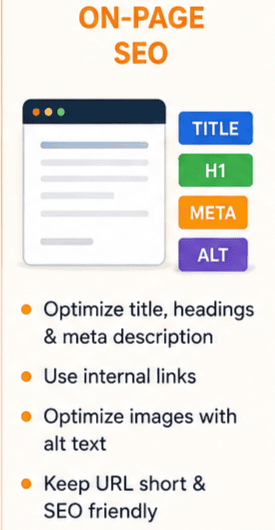
On-page SEO refers to everything you optimize directly on a webpage to help both users and search engines understand your content.
Think of it as organizing a library book. If the title, chapters, and summaries are clear, it’s much easier for people to find the information they’re looking for.
Here are the essential elements of on-page SEO:
Write a Compelling Title
Your page title is often the first thing people see in Google Search.
A good title should:
- Include your primary keyword naturally.
- Clearly explain what the page offers.
- Encourage users to click.
For example:
How to Rank a Website on Google: 15 Proven SEO Strategies for Beginners
This title tells readers exactly what they’ll learn.
Create a Helpful Meta Description
Although the meta description isn’t a direct ranking factor, it can increase your click-through rate.
A strong meta description should briefly explain the value of the page and encourage users to visit your website.
Instead of writing something generic, focus on solving a problem.
Use Headings Properly
Headings make long articles easier to read.
A simple structure looks like this:
- H1 for the main title
- H2 for major sections
- H3 for subtopics
- H4 for supporting details when necessary
Well-organized headings also help Google understand your content’s structure.
Write Short, Readable Paragraphs
Most people don’t read every word on a webpage.
They scan.
Short paragraphs, bullet points, and examples make your content easier to consume.
If your article feels overwhelming, visitors are more likely to leave before finishing it.
Step 12: Improve Your Technical SEO
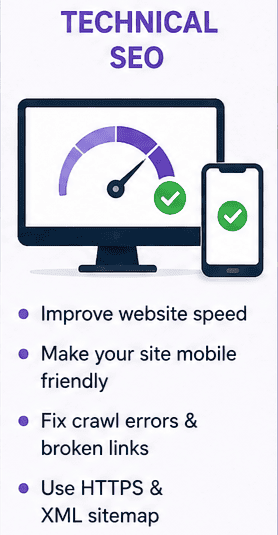
Imagine opening a beautiful store only to discover that customers can’t enter because the door is locked.
Technical SEO works the same way.
Even great content won’t perform well if search engines struggle to crawl or understand your website.
Some important technical improvements include:
- Fix broken links.
- Create an XML sitemap.
- Use HTTPS for security.
- Remove duplicate pages.
- Optimize your robots.txt file.
- Improve page loading speed.
- Ensure mobile compatibility.
You don’t need to become a developer to handle basic technical SEO. Many website platforms and plugins can help automate these tasks.
Step 13: Build High-Quality Backlinks
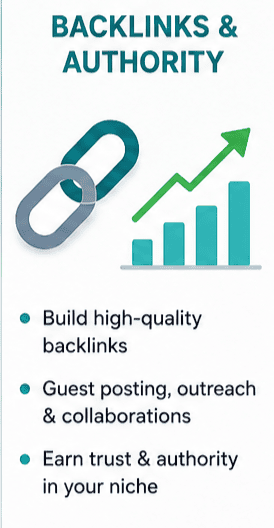
Backlinks are links from other websites pointing to your content.
Think of them as recommendations.
If several trusted websites mention your article, Google sees that as a positive signal.
However, not all backlinks are equal.
One backlink from a respected industry website can be far more valuable than dozens of low-quality links from unrelated sites.
A few ethical ways to earn backlinks include:
- Publishing original research.
- Writing detailed guides.
- Creating useful tools or checklists.
- Guest posting on relevant websites.
- Building relationships with other website owners.
Avoid buying backlinks or joining link schemes. They may provide short-term gains but can lead to long-term penalties.
Step 14: Focus on User Experience
Google pays close attention to how visitors interact with your website.
Ask yourself:
- Is the page easy to navigate?
- Does it load quickly?
- Is the design clean and uncluttered?
- Are important buttons easy to find?
- Can visitors easily find related content?
A positive user experience keeps people on your website longer, which often leads to better engagement and stronger SEO performance.
Step 15: Update Your Content Regularly
SEO isn’t something you do once and forget.
Search trends change.
Google updates its algorithms.
Competitors publish new content.
That’s why successful website owners regularly review and improve their existing pages.
You can:
- Add updated statistics.
- Include new examples.
- Answer recently asked questions.
- Improve outdated screenshots.
- Expand sections that need more detail.
Sometimes updating an older article can improve rankings faster than publishing a brand-new one.
Use Google Search Console
One of the most valuable free SEO tools is Google Search Console.
It helps you understand how Google views your website.
With Search Console, you can:
- Check whether pages are indexed.
- Monitor keyword rankings.
- Find pages with low click-through rates.
- Identify crawling issues.
- Submit updated pages for indexing.
Instead of guessing what’s happening, you’ll have real data to guide your decisions.
Common SEO Mistakes to Avoid
Many beginners unknowingly slow their progress by making avoidable mistakes.
Here are some of the most common ones:
Publishing Thin Content
Articles that barely answer a question rarely perform well.
Aim to provide complete, useful answers instead of writing the shortest possible post.
Ignoring Search Intent
If users want a tutorial but you write a sales page, your content probably won’t rank well.
Always understand what searchers expect before creating content.
Keyword Stuffing
Repeating the phrase How to Rank a Website on Google unnaturally throughout your article won’t improve rankings.
Instead, write naturally and include related terms where appropriate.
Forgetting Internal Links
Every article should guide readers toward other relevant pages on your website.
Internal linking improves navigation and helps search engines understand your site’s structure.
Expecting Instant Results
SEO is a long-term strategy.
Some pages may rank within weeks, while others can take several months, depending on competition and website authority.
Patience and consistency are essential.
How to Measure Your SEO Success
Instead of checking your rankings every day, monitor meaningful performance indicators such as:
- Organic traffic growth
- Number of indexed pages
- Average keyword position
- Click-through rate (CTR)
- Time spent on page
- Bounce rate
- Number of quality backlinks
- Leads or conversions from organic traffic
These metrics provide a much clearer picture of whether your SEO strategy is working.
Final Thoughts
Learning How to Rank a Website on Google isn’t about finding shortcuts or chasing every new SEO trend.
The websites that consistently perform well usually follow the same principles:
- They create genuinely helpful content.
- They understand what users are searching for.
- They provide a fast and enjoyable experience.
- They earn trust over time.
- They continue improving instead of standing still.
SEO rewards consistency more than perfection.
If you keep publishing valuable content, optimize your website regularly, and focus on helping your audience, your rankings will improve over time.
The best time to start optimizing your website was yesterday.
The second-best time is today.
Part 4: Bonus Guide – Modern SEO Strategies That Will Help You Rank on Google in 2026
If you’ve read this far, you already understand the fundamentals of SEO. You know how Google works, how to create valuable content, and how to optimize your website.
But here’s something many beginners don’t realize:
Good SEO gets your website noticed. Great SEO makes your website difficult to outrank.
In this final part, we’ll look at modern SEO practices that successful websites are using today. These strategies won’t replace the basics—they’ll strengthen everything you’ve already built.
Build Topical Authority Instead of Chasing Random Keywords
A mistake many website owners make is writing about dozens of unrelated topics.
Imagine two websites.
Website A
It publishes articles about SEO, fitness, cooking, cryptocurrency, travel, and photography.
Website B
It publishes everything related to SEO:
- Keyword Research
- On-Page SEO
- Technical SEO
- Local SEO
- Link Building
- Google Search Console
- SEO Audits
- Google Business Profile
- Content Marketing
Which website looks more trustworthy when someone searches for an SEO-related topic?
Most likely, Website B.
Google prefers websites that consistently demonstrate expertise in a particular subject. This is known as Topical Authority.
Instead of creating random content, build clusters of related articles around your niche.
For example, if your website focuses on digital marketing, your content could include:
- How to Rank a Website on Google
- Beginner’s Guide to SEO
- Technical SEO Checklist
- Local SEO Tips
- Keyword Research Guide
- Google Business Profile Optimization
- Link Building Strategies
- SEO Mistakes to Avoid
These articles support one another through internal links, helping Google understand that your website is an authority on SEO.
Understand Google’s EEAT Principle
One concept you’ll hear often in modern SEO is EEAT.
It stands for:
- Experience
- Expertise
- Authoritativeness
- Trustworthiness
Google wants to recommend content created by people who know what they’re talking about.
For example, imagine you’re reading two articles about SEO.
The first simply repeats information found on other websites.
The second includes real examples, practical experience, screenshots, mistakes the author has made, and lessons learned.
Which one would you trust more?
Most people would choose the second article.
That’s exactly what Google aims to reward.
To improve your EEAT:
- Share personal experiences.
- Use real examples whenever possible.
- Keep your information updated.
- Add an author profile.
- Link to trustworthy sources when appropriate.
- Be honest about what works and what doesn’t.
Trust is one of the strongest long-term SEO advantages.
Don’t Ignore Local SEO
If you own a local business, ranking in your city can be even more valuable than ranking nationally.
Imagine you run a web design business in Chandigarh.
Instead of trying to rank for a highly competitive keyword like:
Website Design
You could target:
- Website Design in Chandigarh
- SEO Services in Mohali
- Digital Marketing in Zirakpur
These searches have stronger buying intent because people are looking for businesses nearby.
To improve local SEO:
- Create and optimize your Google Business Profile.
- Use consistent business information across directories.
- Encourage genuine customer reviews.
- Add location-specific content to your website.
- Include your city naturally within your pages.
For local businesses, these simple steps can generate highly qualified leads.
Optimize for User Experience
Google’s goal is simple:
Show users websites they’ll enjoy using.
Ask yourself:
- Does my website load quickly?
- Is it easy to navigate?
- Can visitors find important information without frustration?
- Does the design work well on mobile devices?
- Are the fonts easy to read?
A visitor who stays on your website, explores multiple pages, and finds useful information sends positive signals that your content is valuable.
Good SEO isn’t just about search engines—it’s about creating a better experience for people.
Use AI as an Assistant, Not a Replacement
Artificial intelligence has become an important tool for content creation.
It can help you:
- Generate topic ideas.
- Create outlines.
- Brainstorm headlines.
- Improve readability.
- Check grammar.
- Organize information.
However, AI shouldn’t replace your knowledge or experience.
The articles that perform best usually combine AI’s efficiency with genuine human insight.
Add your own opinions, examples, lessons learned, and practical observations.
That’s what makes content unique.
Keep Updating Existing Content
One of the easiest ways to improve rankings is by updating articles you’ve already published.
Instead of writing ten new posts every month, review your existing content.
Ask yourself:
- Is the information still accurate?
- Have Google’s best practices changed?
- Can I add better examples?
- Are there new questions readers might have?
- Can I improve the introduction or conclusion?
A well-updated article often performs better than a brand-new one because it already has some authority and history.
SEO is not just about creating content—it’s also about maintaining it.
Essential Free SEO Tools Every Beginner Should Know
You don’t need expensive software to get started.
Here are some free tools that can make a big difference:
Google Search Console
Monitor indexing, keywords, impressions, clicks, and technical issues.
Google Analytics
Understand how visitors interact with your website and which pages perform best.
Google PageSpeed Insights
Analyze your website’s loading speed and receive recommendations for improvement.
Google Trends
Discover trending topics and seasonal search patterns.
Keyword Planner
Find keyword ideas and understand search demand.
Rank Math or Yoast SEO
Optimize on-page SEO if you’re using WordPress.
As your website grows, you can explore premium SEO tools, but these free resources are more than enough for beginners.
A Simple 30-Point SEO Checklist
Before publishing any page, quickly review this checklist:
Content
✔ Original and helpful content
✔ Solves the user’s problem
✔ Easy-to-read language
✔ Includes real examples
✔ No duplicate content
On-Page SEO
✔ Primary keyword in the title
✔ Keyword in the introduction
✔ Clear headings
✔ Optimized meta description
✔ Image alt text
✔ Internal links
✔ External references when relevant
Technical SEO
✔ Fast loading speed
✔ Mobile-friendly design
✔ Secure HTTPS connection
✔ XML sitemap
✔ No broken links
✔ Clean URL structure
User Experience
✔ Easy navigation
✔ Readable fonts
✔ Clear call-to-action
✔ Logical content flow
✔ No intrusive pop-ups
Ongoing SEO
✔ Monitor Search Console
✔ Update old articles
✔ Publish consistently
✔ Build quality backlinks
✔ Track keyword performance
✔ Improve based on data
Don’t worry about making every page perfect. Focus on consistently improving your website over time.
Frequently Asked Questions
How long does it take to rank a website on Google?
There isn’t a fixed timeline.
A low-competition keyword may start ranking within a few months, while competitive keywords often take much longer. Consistency, content quality, and website authority all influence the process.
Can a new website rank on Google?
Yes.
New websites can rank by targeting less competitive keywords, publishing valuable content, and following SEO best practices consistently.
Is SEO better than paid advertising?
Both have their place.
Paid advertising delivers immediate visibility, while SEO builds long-term organic traffic that can continue generating visitors without paying for every click.
How often should I publish new content?
Quality is more important than quantity.
Publishing one well-researched article every week is usually more effective than publishing several low-quality articles.
What’s the biggest SEO mistake beginners make?
Trying to rank for highly competitive keywords immediately.
It’s often better to build authority by targeting specific, lower-competition topics first and expanding your content over time
.
Final Conclusion
If you’ve been searching for How to Rank a Website on Google, you now have a complete roadmap—from understanding how Google works to creating high-quality content, optimizing your website, improving user experience, and building long-term authority.
Remember, SEO isn’t a race to trick Google’s algorithm. It’s an ongoing process of creating a website that deserves to be recommended.
Every helpful article you publish, every page you improve, and every satisfied visitor strengthens your website’s reputation.
Start with one page.
Improve it.
Measure the results.
Learn from the data.
Then repeat the process.
Over time, those small, consistent improvements can lead to higher rankings, increased organic traffic, and sustainable growth for your website.
The best SEO strategy has never been about shortcuts—it’s about becoming the best answer to the questions your audience is asking.